Every visit on one timeline
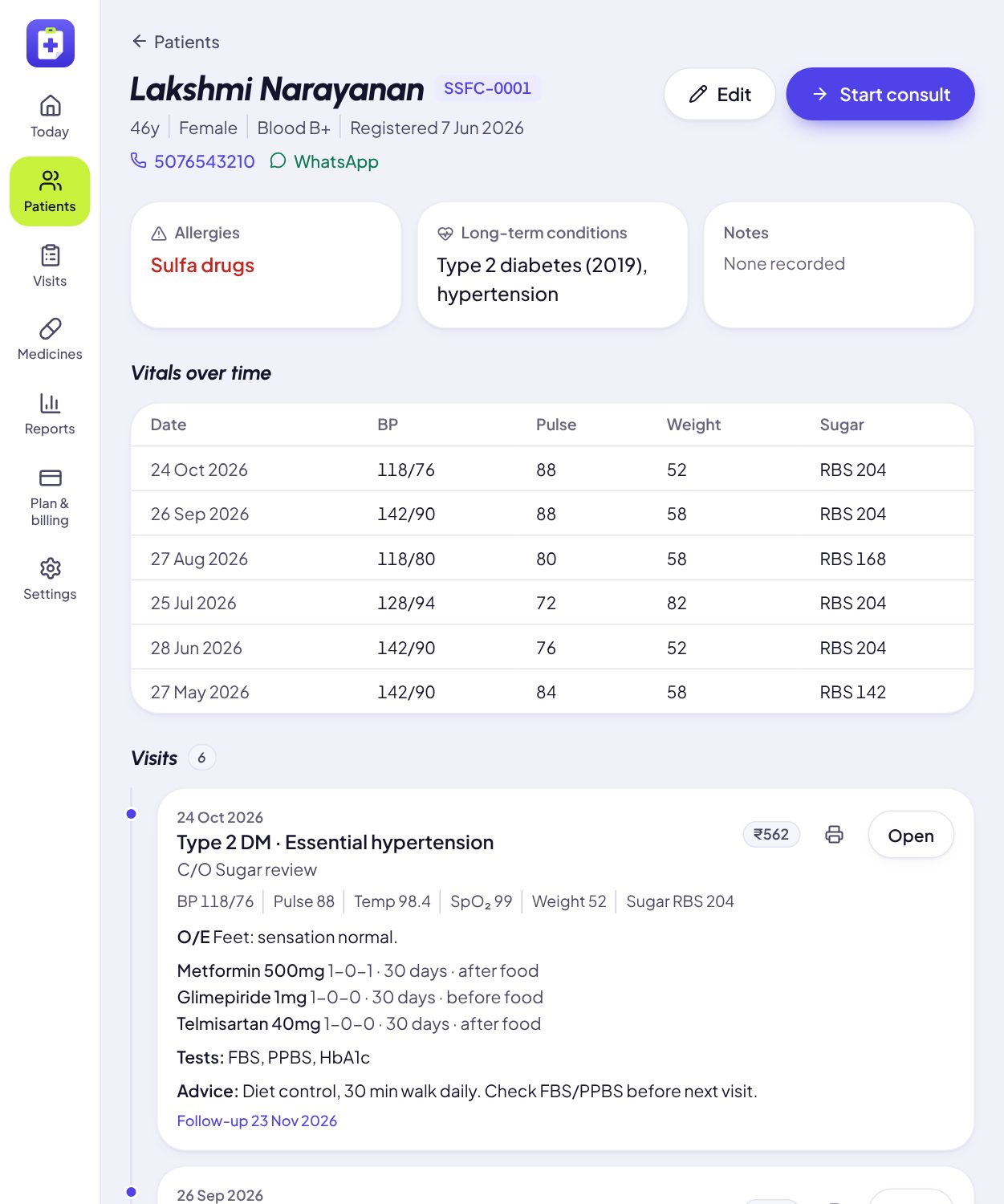
Allergies and long-term conditions sit at the top of every consult. Vitals trend across visits. Nothing is typed twice.
Chart, prescribe, print, dispense and collect, all on the iPad on your consulting table. Built for the doctor who sees patients back to back, with no front desk in the way.
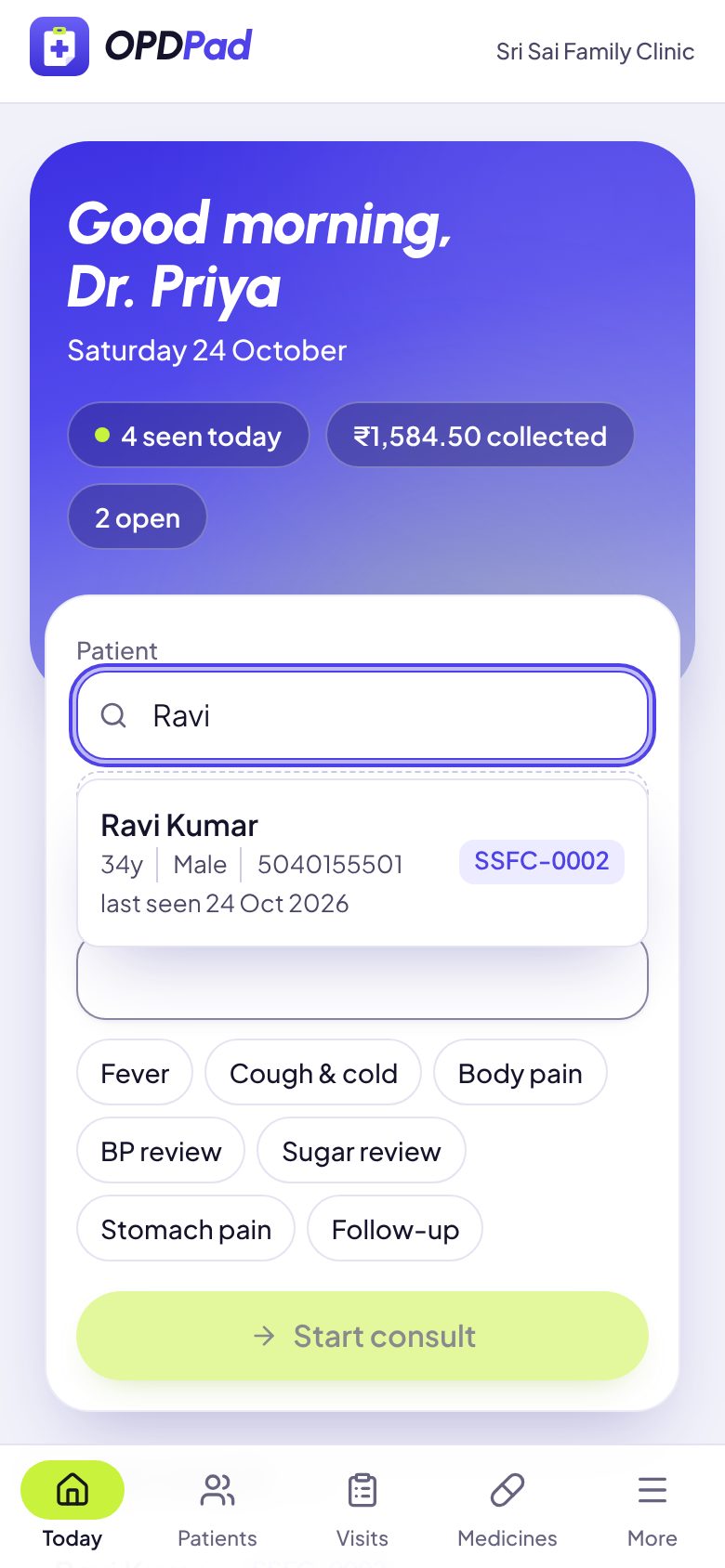
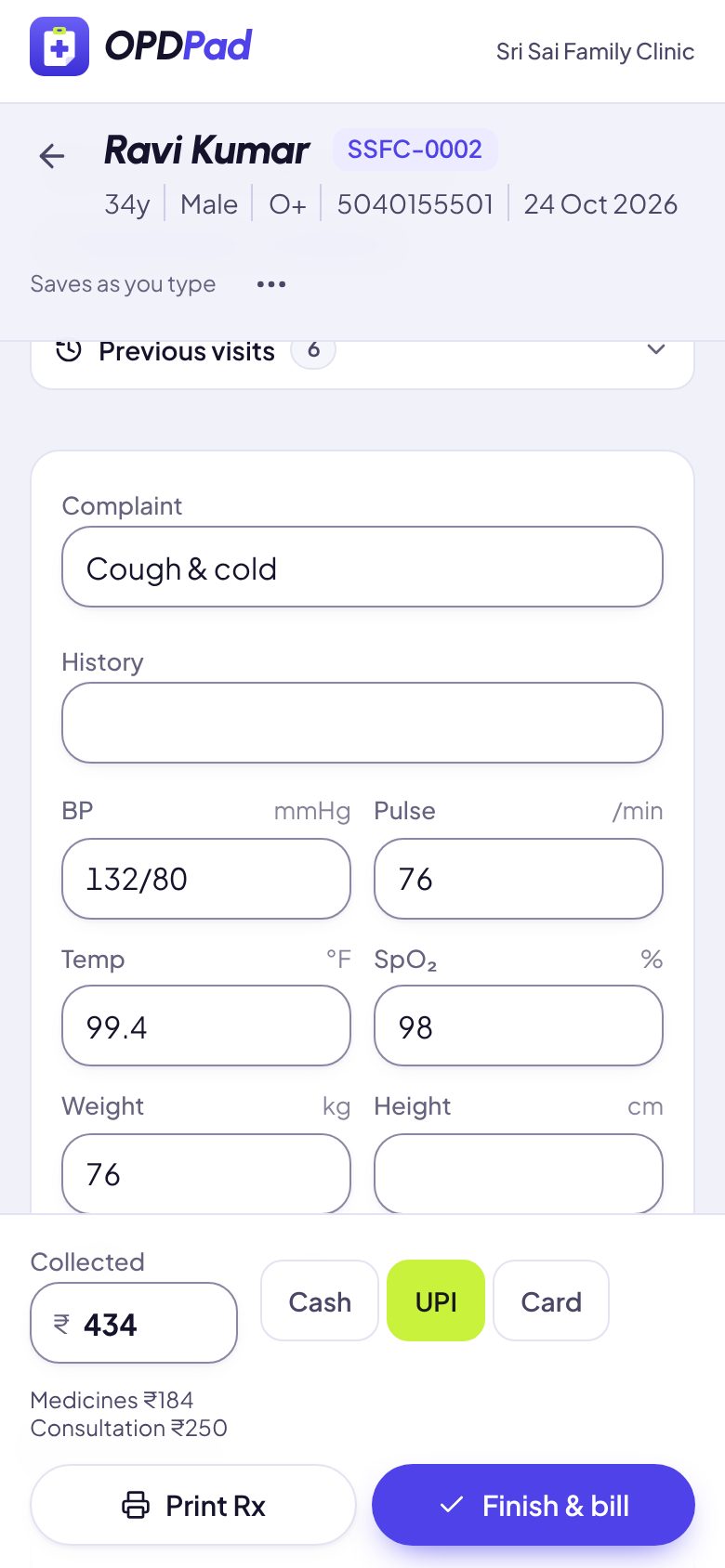
No registration desk, no forms before you can start. Here is Ravi, 34, back with a cough (on a phone, to show it all fits in one hand).
Ravi comes up with his age, phone and last visit. A new patient registers from the same box: name, age, phone.
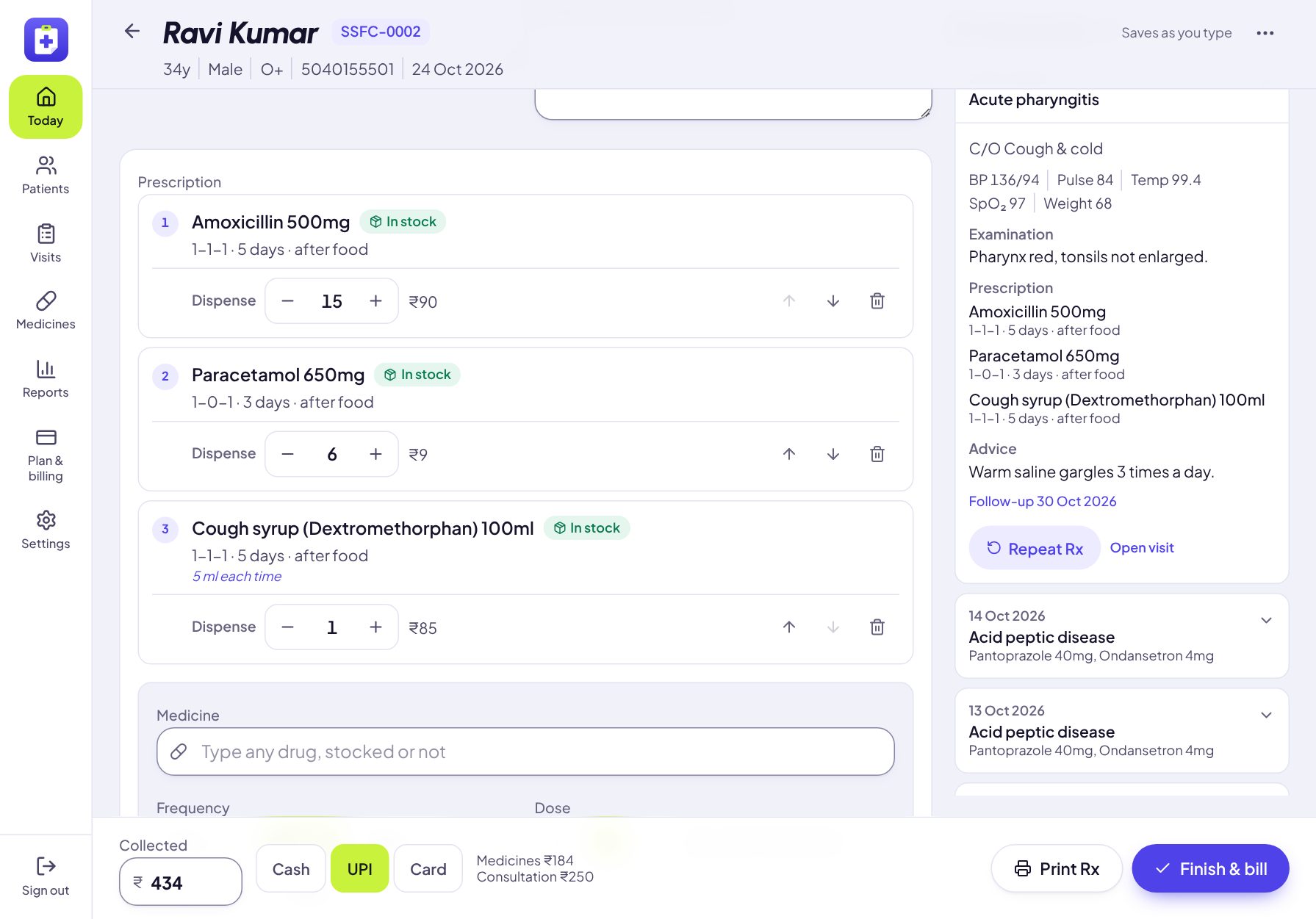
Complaint, vitals and findings, with his last six visits a tap away. Every word saves as you type.
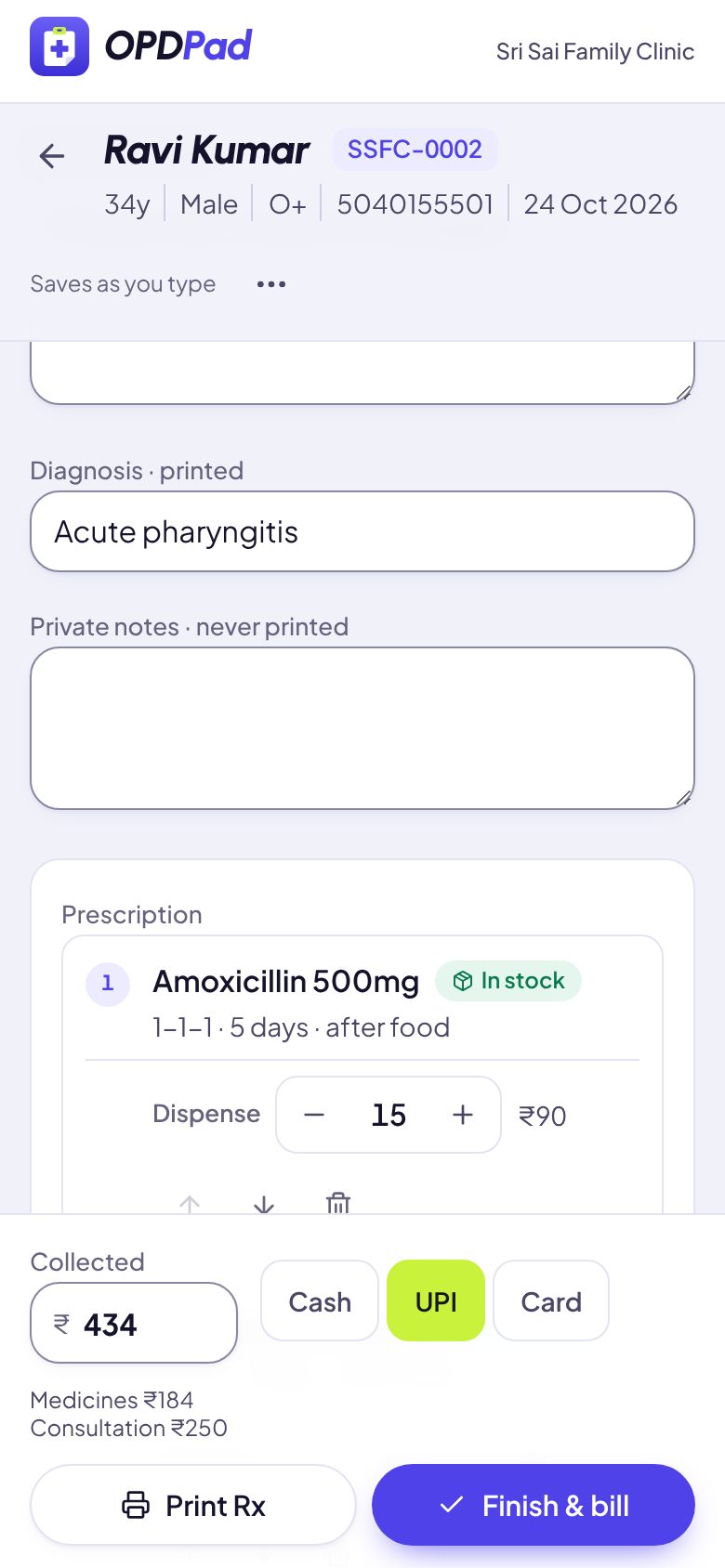
1-1-1, five days, after food. Medicines from your shelf show stock and price; anything else is typed and bought outside.
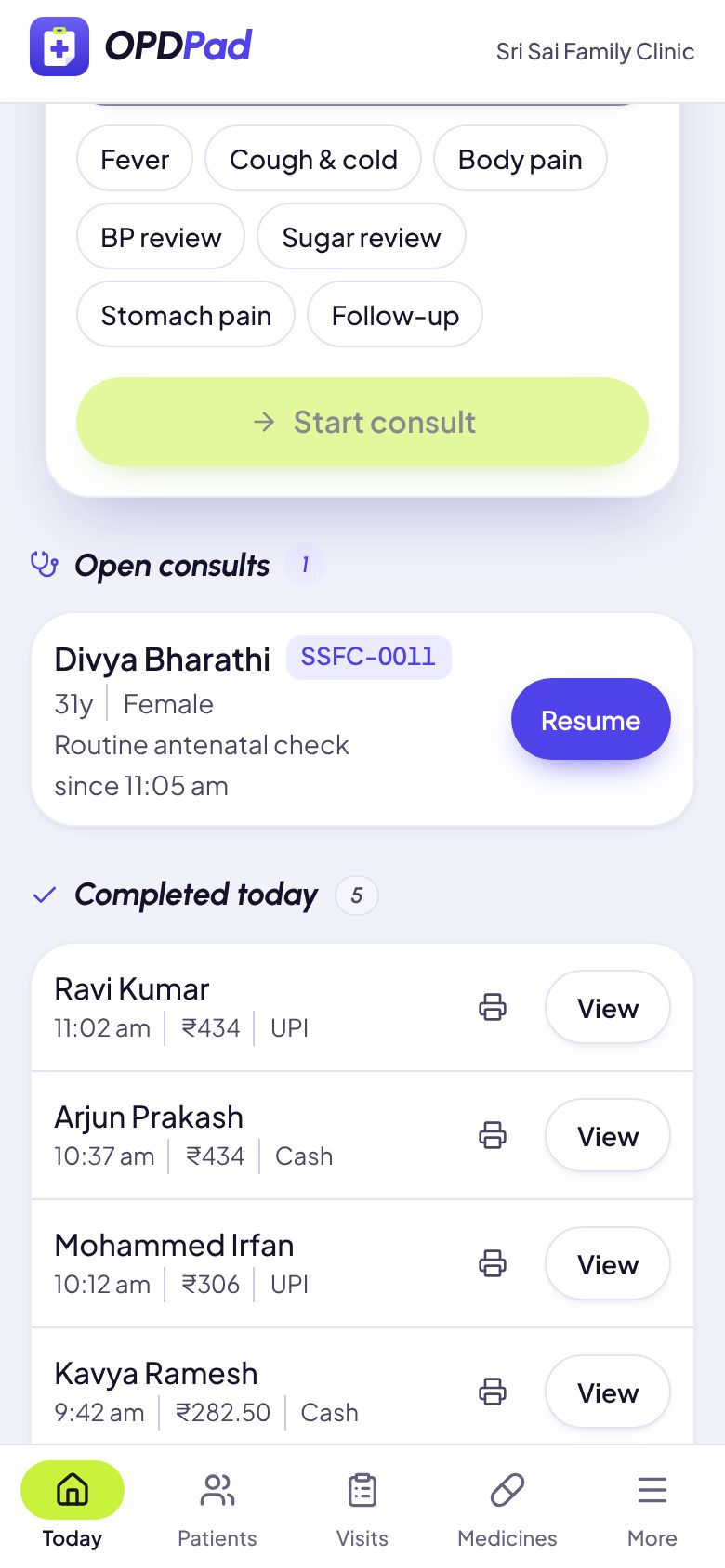
₹434 on UPI joins today’s collection, the capsules come off the shelf, the prescription prints. Next patient.
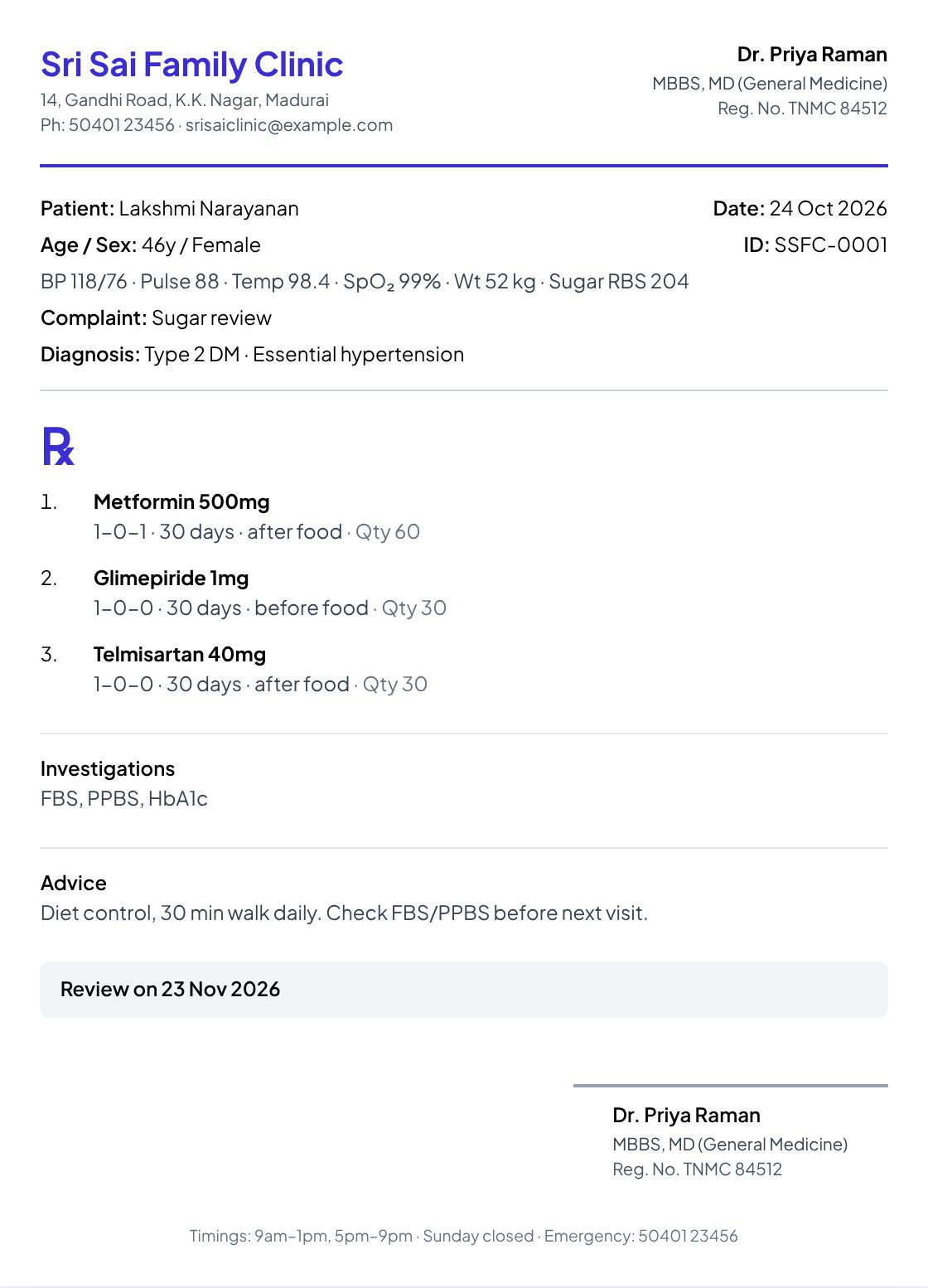
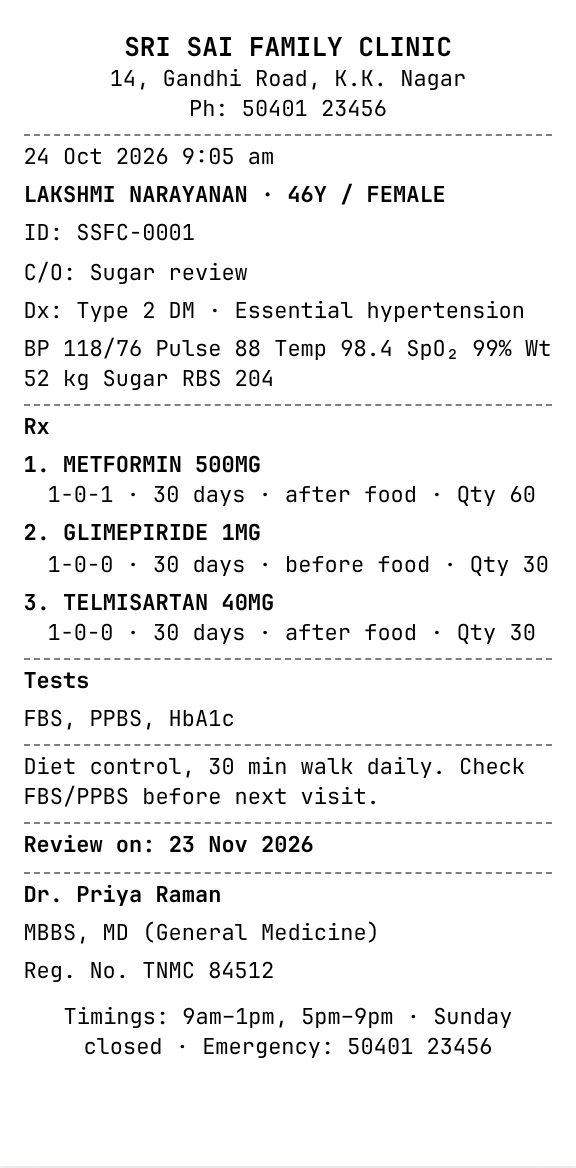
Set your letterhead up once. Every prescription after that prints the same way: on A4, A5, or an 80 mm or 58 mm thermal roll.
Your letterhead. Clinic name, address and phone; your qualifications and registration number.
The visit. Vitals, complaint and diagnosis, printed as you charted them.
The ℞. 1-0-1, days, before or after food, and the quantity to buy or collect.
Tests & advice. Investigations to get done and what to do at home, in plain words.
The review date. Printed for the patient, and on your home screen the week it comes due.
Records, follow-ups, the dispensary and the money: the four registers a one-doctor clinic runs on, in one place.
Allergies and long-term conditions sit at the top of every consult. Vitals trend across visits. Nothing is typed twice.
Patients due back this week wait on your home screen. One tap opens WhatsApp with the reminder already written.
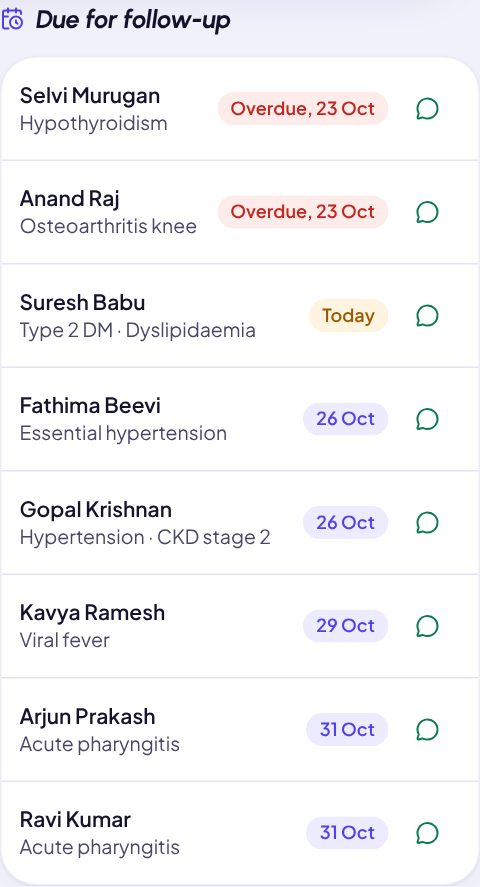
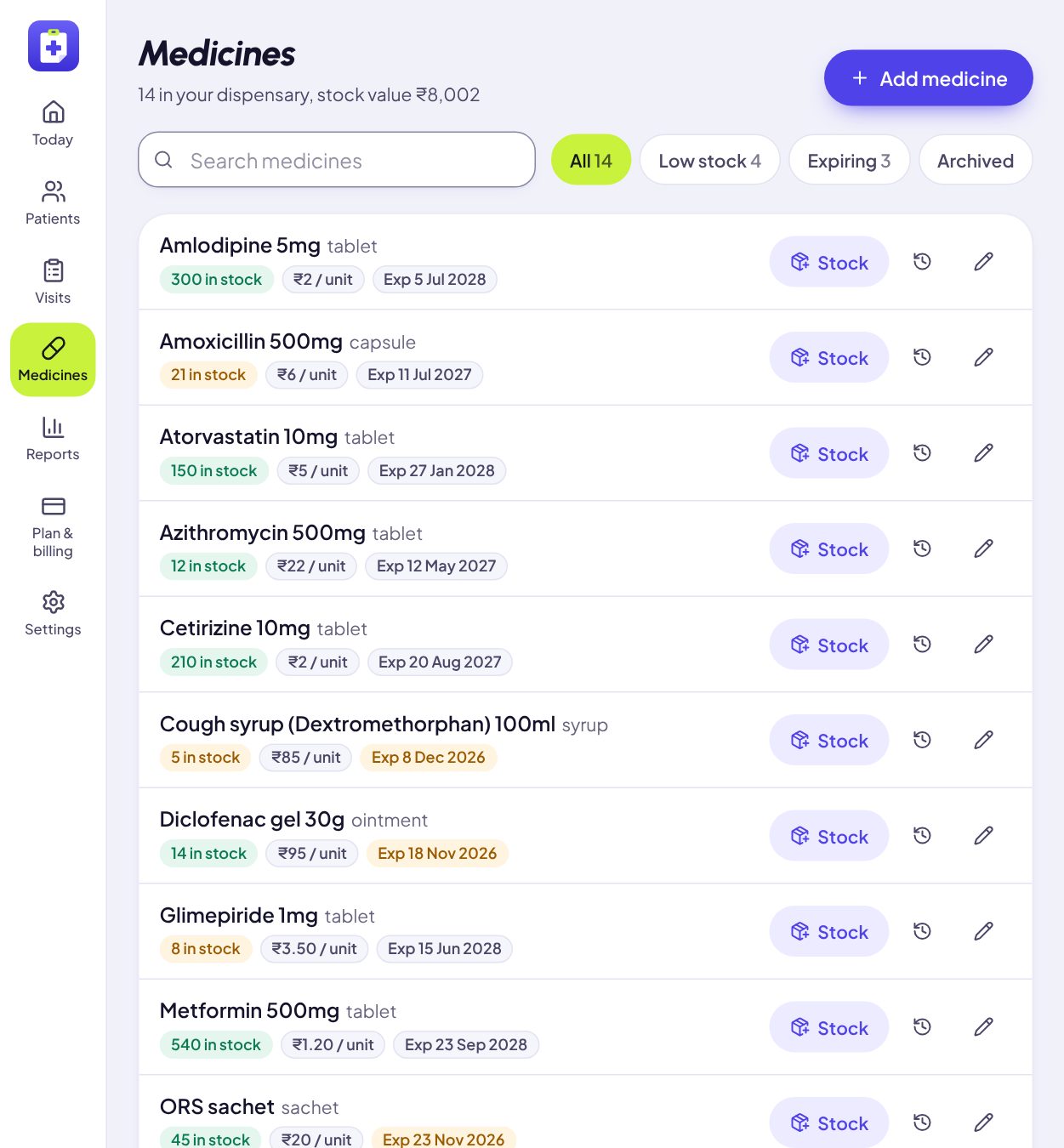
Prescribe from stock and it comes off when you finish. Every strip in or out is in the ledger; low stock and near-expiry show up early.
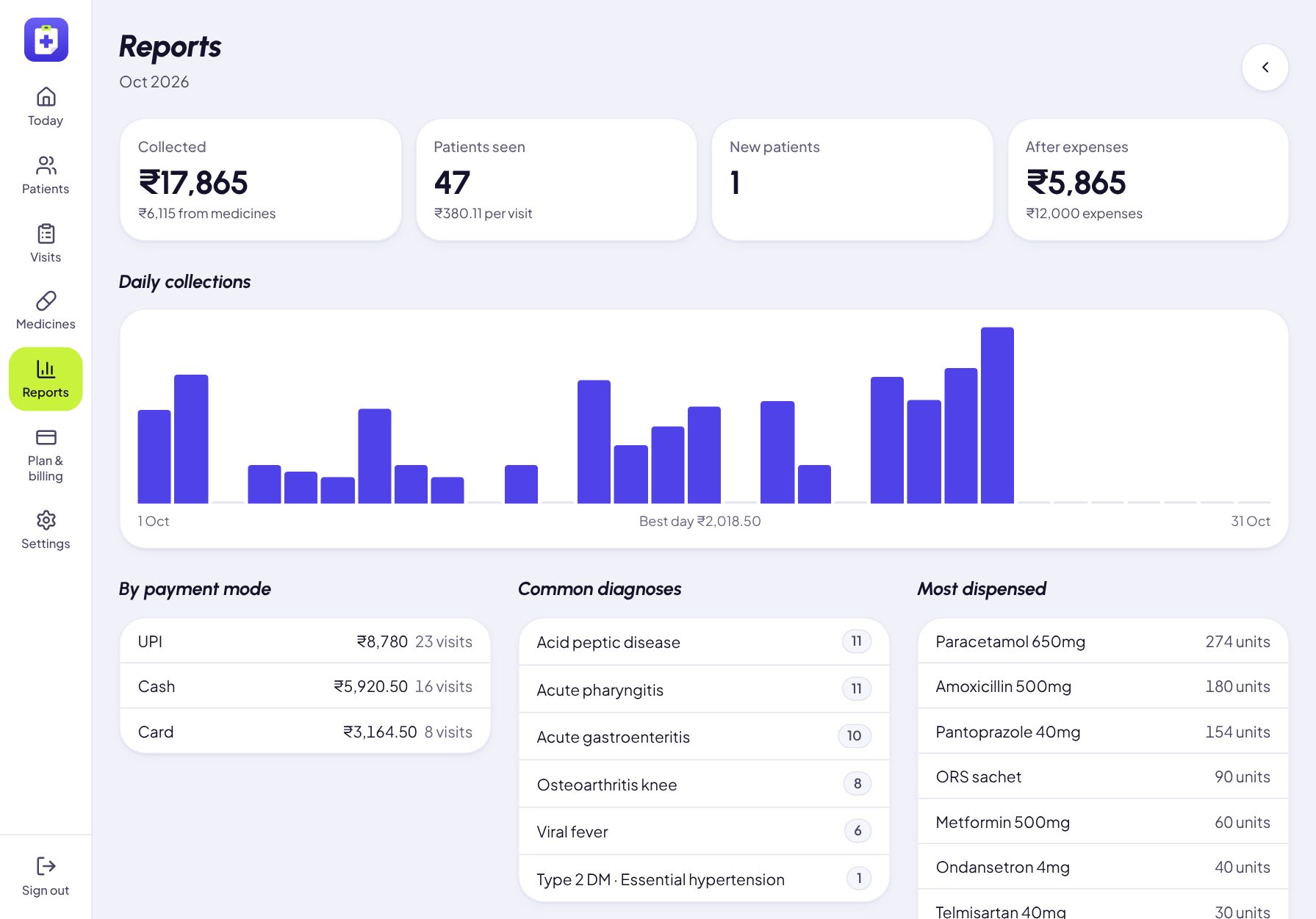
Today’s total by cash, UPI and card. The month against your rent and salaries: the break-even a practice really runs on.
One plan, all of it.
Under ₹34 a day, less than a single consultation fee. No per-patient charge, no setup fee, no add-ons to buy later.
OPDPad Solo
First 14 days₹0
Every month after₹999
UPI AutoPay, card or net banking via Razorpay. Cancel in the app.
They are your patients’ histories and your practice’s memory. Here is how OPDPad treats them.
If the plan lapses, the clinic turns read-only. You can still open, print and export every record. Only new visits wait until you renew.
Every record belongs to your clinic’s account. Even our own dashboard, running OPDPad, shows counts, never a patient’s name or chart.
Patient pages are never saved in the browser’s cache. Sign out, and the iPad keeps nothing.
Every patient and every visit, downloaded as a spreadsheet from Settings: on the trial, on the plan, or after it ends.
OPDPad
No app store neededFull screen, its own icon, always the latest version. Nothing to download, nothing to update.
On Android: Chrome → Install app.
No. OPDPad runs in the browser on any iPad, tablet, phone or computer. Add it to your home screen and it opens like an app, full screen, with its own icon.
Doctors who run their own clinic: a GP, a paediatrician, a physician with a small dispensary. It is built around one doctor seeing patients back to back, without a front desk in the way.
You subscribe for ₹999 a month through Razorpay: UPI AutoPay, card or net banking. If you don’t, the clinic turns read-only. You can still open, print and export every record; you just can’t add new visits until you subscribe.
Any. Prescriptions are laid out for A4 and A5 paper and for 80 mm or 58 mm thermal receipt printers. You pick the paper once in Settings.
Yes. Sign in on the iPad at your table and on your phone. A consult saves as you type, so you can open it on either.
It needs a connection to save your work. A phone hotspot is plenty. By design, patient records are not stored on the device.
Each clinic’s records are visible only to that clinic’s account. Traffic is encrypted, passwords are hashed, and patient pages are never cached on the device. You can export everything at any time.
Yes, from the Billing page, any time. You keep full access until the end of the month you’ve paid for.
Set up tonight: your name, your clinic, your fee. It takes two minutes. Then see your first patient.